Review Comments (0) Screenshots (1) Questions & Answers (0) Votes (0) Awards (1) Wiki  
AMC Inc.
3.7
www.aztechsoft.com
Shareware
$345
21 people
Download GPS2CAD

Downloaded 442 times

It is possible that the download link provided above does not refer to the intended version. If you are looking for GPS2CAD, you may try searching for a download link using Google.

 
Video tutorial for GPS2CAD 1.5
Frame

Review

This review applies to version 3.1 The latest version of this software will soon be reviewed by our informers.

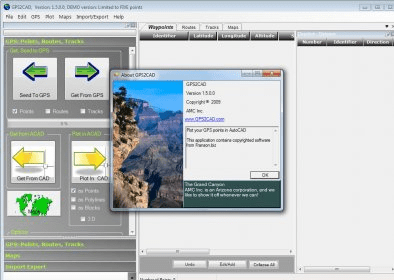
Plot GPS Waypoints in AutoCAD and View them on Terraserver-USA Maps!
GPS2CAD enables design professionals to use recreational-grade GPS units to collect field information and plot it in their CAD program. While professional survey-grade systems are more accurate, most recreational GPS units are well-suited for many site layout and "topo-plotting" requirements.

Viewing the imported points on actual public-domain aerial photos or topographic maps is an important part of GPS2CAD. These maps are obtained automatically when the user clicks the "View Points" button, and then displayed in a separate window with the map, points and id clearly plotted.

GPS2CAD translates the GPS points from their "satellite based" coordinate system into more than 40 world wide coordinate systems, including the extremely popular NAD 27, NAD 83, and the State Plane Coordinate systems (used in the United States).

The program is designed to work with AutoCAD, versions 14.01 through 2005. In addition, it will export the point data to text files, Access 2000 files, and DXF files, so most technical/CAD programs (including AutoCAD LT) can use the point data.

What's new in version 1.5

A popular feature of GPS2CAD is the ability to view the imported points on free public-domain aerial photos or topographic maps from Terraserver-usa. This lets the user double-check the data, add new points as necessary.The maps are obtained automatically when the user clicks the "View Points" button. Then they are displayed in a separate window with the map, points and id clearly plotted. With one more click, the maps are sent into AutoCAD at the proper size and location for drafting!

An added convenience is the "Combination Maps" created by the Aerial and Topo Images. These maps consist of the Topo image overlayed onto the Aerial, with transparency selected by the user. It enables you to compare the aerial photo with the geographic features. Of course this includes the contour lines (as a bitmap) shown on the Topo, so when the maps are sent into the drawing, they are available for reference - a very helpful feature!
Report a wrong version Report a wrong program title Suggest a correction

Screenshots

General View General View

Latest comments


There are no comments, be the first one!
Add new comment

E-mail Address:

Password:

Register now »

Forgot password?

Sign in with:
Download Software Informer Client
Copyright © 2012, Informer Technologies, Inc. About| Privacy and terms| Help| Feedback & Support| Partners program